Best Website Builder for Malaysian Businesses: DIY Guide to Wix, WordPress, Google Sites & Canva
When you’re starting out or bootstrapping your business, building your own website makes sense. You save money upfront, maintain complete control, and launch quickly without hiring expensive designers or developers.
But here’s the reality: not all DIY platforms are created equal—especially if you think you might eventually outsource redesign or maintenance work to a professional.
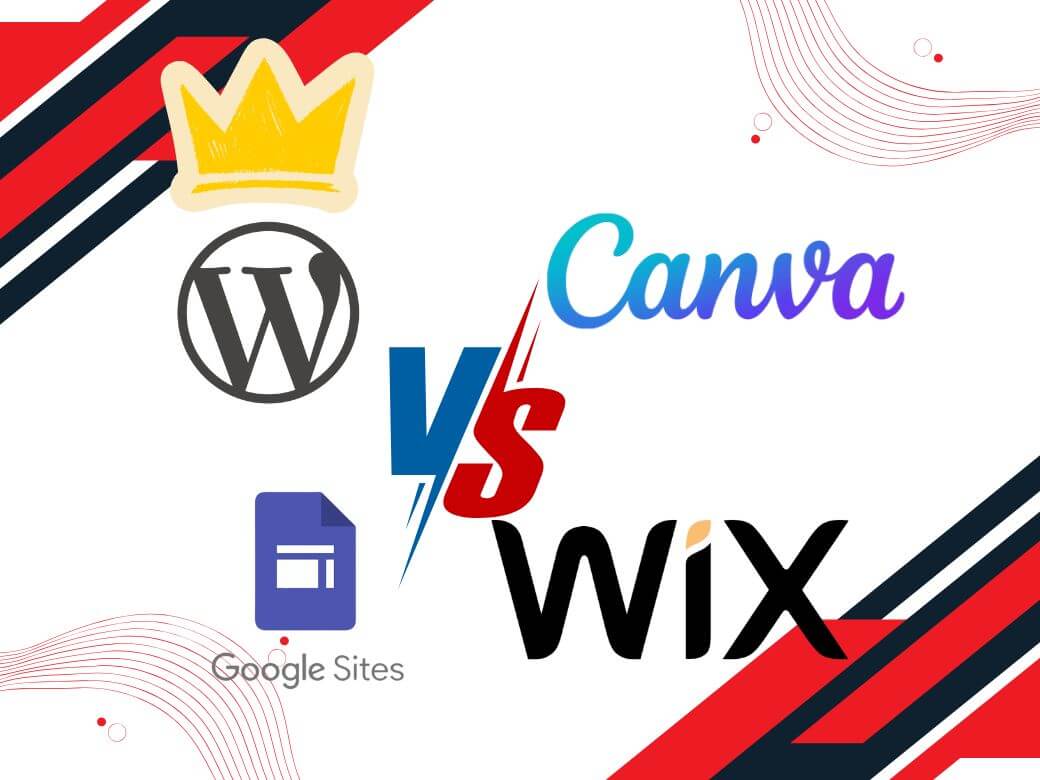
This guide compares the four platforms Malaysian business owners most commonly use to build their own websites: Wix, WordPress, Google Sites, and Canva. We’ll focus specifically on DIY use cases and what happens when you eventually need professional help scaling or maintaining your site.
Whether you’re building your first website or planning for growth, understanding each platform’s strengths and limitations will help you avoid costly mistakes—like choosing a platform that traps you when you want to upgrade later.
Why These Four Platforms?
These four represent the most common DIY choices for Malaysian businesses:
Wix – The all-in-one drag-and-drop builder popular with small business owners who want everything handled
Google Sites – The free option for businesses already using Google Workspace
Canva – The design-first approach for creative professionals building portfolios
WordPress – The self-hosted option that requires more setup but scales infinitely
Note: We’re not covering custom websites from local developers or proprietary platforms from hosting providers—those are different categories. We’re also not focusing on ecommerce, which is a separate topic requiring its own analysis.
Ease of Use for DIY Building
Wix: Fastest Launch, Minimal Learning Curve
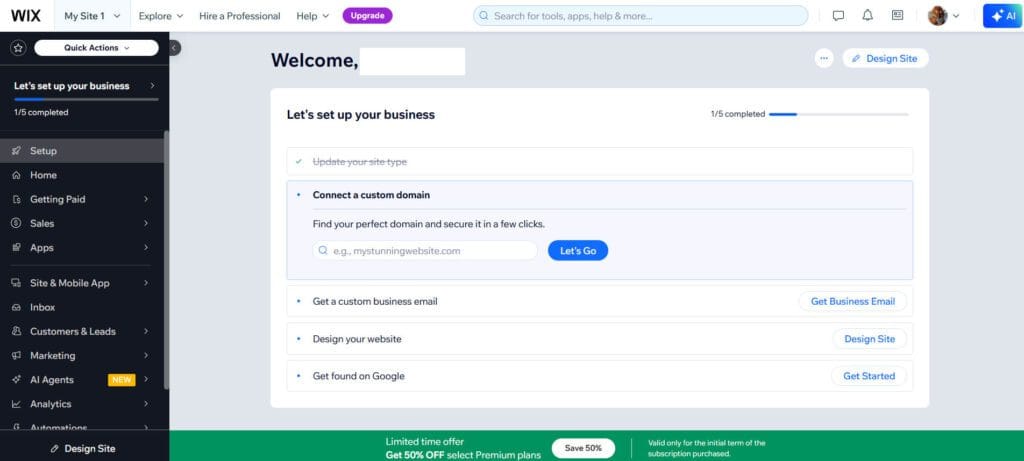
Wix is built for DIY builders. You sign up, choose a template matching your industry, and start editing content through simple drag-and-drop. No technical knowledge required.
Real strength: Everything works immediately. You don’t need to understand domains, SSL certificates, hosting, or security. Wix handles the infrastructure automatically.
DIY advantage: Most business owners can build a functional website within 1–2 hours. Updates are straightforward—click what you want to change and edit directly.
Learning curve: Minimal. The interface is intuitive, and customer support is responsive (24/7 phone and live chat).
Google Sites: Simplest for Basic Information
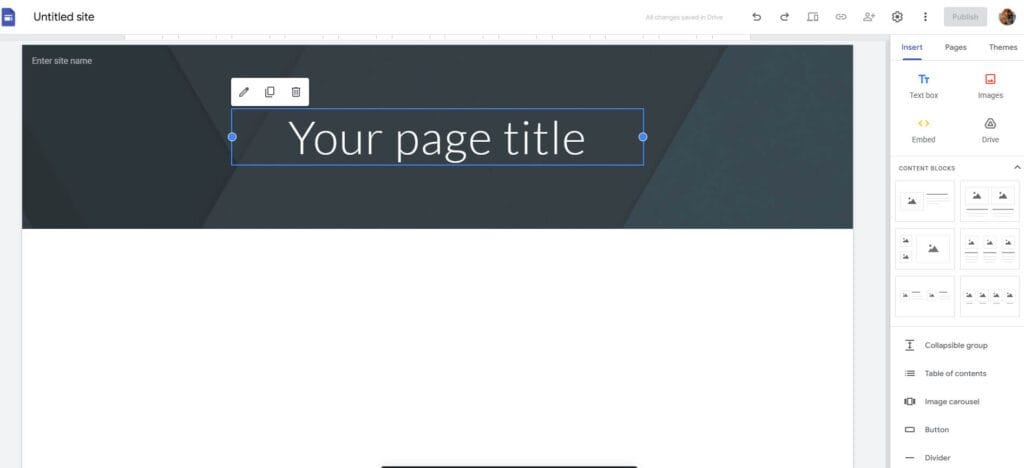
Google Sites is the easiest to start—it’s genuinely free and requires zero technical knowledge. If your team already uses Gmail or Google Workspace, it feels familiar immediately.
Perfect for simple informational sites. Embedding Google Forms, Calendars, and Sheets directly into pages is straightforward.
DIY limitation: Severely limited functionality. No proper customisation, minimal design flexibility, no blogging, no advanced features. Most DIY-minded business owners outgrow it quickly.
Canva: Great for Designers, Limited for Others
Canva excels if you’re already using it for social media graphics. The website builder feels like a natural extension of the design platform.
DIY strength: Beautiful templates. If you prioritise visual aesthetics, Canva delivers professional-looking results without design skills.
DIY limitation: Very restricted functionality. Cannot add complex forms, limited customisation, and no way to add advanced features as your business grows.
WordPress: Steepest Learning Curve, Most Flexibility
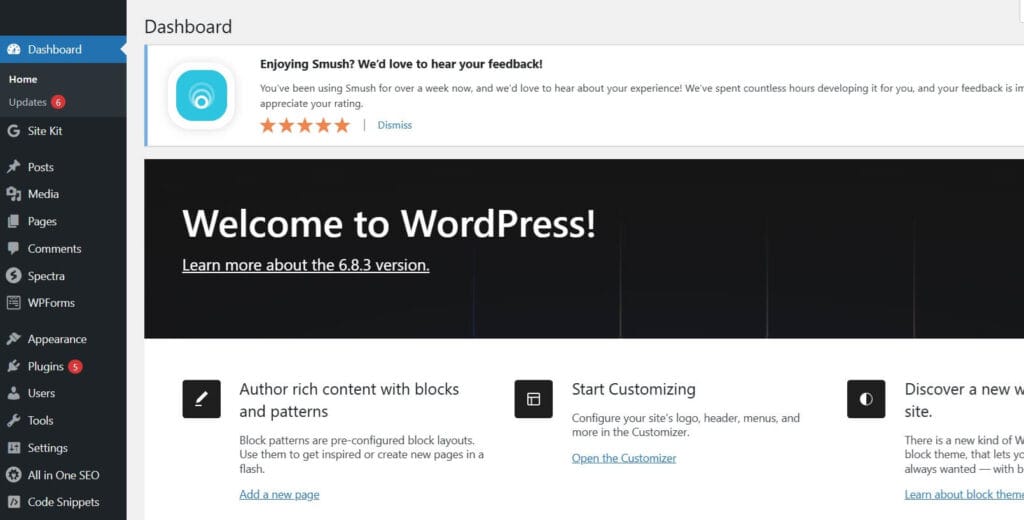
WordPress requires more setup. You need to understand hosting, domain registration, and plugin installation. However, modern page builders like Elementor dramatically improve this.
With Elementor or similar builders, WordPress drag-and-drop experience rivals Wix—but with vastly more customisation options.
DIY advantage: Once learned, unlimited flexibility. You can build anything. Updates are manageable. The WordPress community is massive with countless free tutorials.
Learning curve: 1–2 weeks to comfortable competency. Steep initially, but manageable with willingness to learn.
DIY Pricing: What Actually Matters
Wix (Predictable but Escalating)
Wix charges monthly subscriptions: RM70–RM170+ monthly depending on plan, totalling RM800–RM2,000+ annually. There is a free version which include ads, and you will have use wix subdomain
Everything included: hosting, domain (first year free), SSL, support, automatic backups.
DIY consideration: Costs are predictable, but they increase over time. No surprise bills, but definitely not the cheapest long-term option.
WordPress (Budget DIY Build)
For basic DIY sites: RM100–RM1,000+ annually, excluding domain.
Breakdown:
- Hosting: RM100–RM300/year (eg Exabytes, Shinjiru, Hostinger)
- Domain: RM60-RM90/year
- Optional page builder: RM0–RM300/year
- Premium plugins (if needed): RM0–RM400/year
DIY consideration: Significantly cheaper than Wix, especially over 3+ years. You only pay for what you use.
Google Sites (Genuinely Free)
Zero cost with Gmail or Google Workspace. Domain registration is separate if you want a custom domain (RM60-RM90/year).
DIY consideration: Excellent for testing concepts or simple sites. Limited for anything requiring real functionality.
Canva (Design Premium)
RM11/month or RM250 annually. Similar to Wix, a free version is available with limited function and does not allow custom domain.
DIY consideration: Suitable for those who want a simple, 1 page website with minimum functionality and CMS.
Critical Issue: Scaling from DIY to Professional
Here’s what the research doesn’t emphasize enough: DIY platforms create problems when you later want professional help.
Wix: Expensive Lock-In
If you build on Wix and later want a redesign or to switch platforms, you’re stuck.
The problem: Wix doesn’t provide standard data exports. Moving a Wix website to another platform requires essentially rebuilding from scratch. Professional costs: RM2,000–RM5,000+. Time: 4–8 weeks.
For DIY builders considering scaling: Wix is great initially, but plan to stay long-term or budget significantly for migration.
WordPress: Professional-Friendly
WordPress is the DIY platform developers actually prefer working with.
The advantage: Your website data is yours. A professional can access it, modify it, enhance it, or migrate it. Moving WordPress sites is standard work—not a special project.
Moving from DIY WordPress to professional maintenance/redesign is straightforward and relatively inexpensive (typically RM500–RM1,500 for basic handover setup).
For DIY builders planning future outsourcing: WordPress is significantly easier to transition to professional management.
Google Sites & Canva: Export Nightmares
Both platforms make data export difficult. Rebuilding professionally is expensive and often requires manual recreation.
Feature Comparison for DIY Builders
Feature | Wix | WordPress | Google Sites | Canva |
|---|---|---|---|---|
Learning time | Hours | 1 – 2 weeks | Minutes | Minutes |
Design flexibility | Moderate | Unlimited | Limited | Good |
Customisation | Within Wix limits | Complete control | Very limited | Template-bound |
DIY-friendly updates | Yes, very | Yes, moderate | Yes | Yes |
Professional handoff | Difficult | Easy | Very difficult | Very difficult |
Service Provider Options | Locked in to Wix | Full control | Locked in to Google | Locked in to Canva |
Initial cost (excluding domain) | From RM840/year | From RM100/year | It’s totally free! | From RM250/year |
3-year total cost (excluding domain) | From RM2,520 | From RM300 | It’s totally free! | From RM750 |
The Hidden DIY Challenge: Maintenance and Updates
DIY platforms differ significantly in ongoing maintenance requirements:
Wix: Everything automatic. Wix updates, patches, and maintains your site. No worries, but also no control.
WordPress: You (or your hosting provider) maintain the platform. Updates need scheduling. If you ignore updates for a year, security vulnerabilities accumulate. However, modern hosting providers handle most updates automatically for managed WordPress hosting.
Google Sites: Automatic, minimal maintenance required.
Canva: Automatic, minimal maintenance required.
DIY reality: If you hate technical management, Wix or Google Sites eliminate this burden. If you’re comfortable learning, WordPress maintenance is manageable.
When to Outsource Your DIY Site
Most successful DIY builders eventually face this question: Should we hire someone to improve our site?
Signs you should consider professional help:
- Redesign needed – Your DIY site looks dated or unprofessional
- Maintenance burden – Updating content has become time-consuming
- Advanced functionality – You need features your current platform can’t provide
- Performance issues – Your site is slow or unreliable
- Growth scaling – Your DIY setup isn’t handling current traffic
If your DIY platform is WordPress: Professional transition is relatively simple. A developer can assess, enhance, and maintain your site without rebuilding.
If your DIY platform is Wix, Google Sites, or Canva: Bringing in professional help usually means rebuilding on a proper development platform—expensive and time-consuming.
Decision Framework for DIY Builders

Choose Wix if:
- You want zero technical hassle and fastest possible launch
- You’re comfortable staying with Wix long-term
- You prioritise simplicity over future flexibility
- You don’t anticipate needing professional redesign work
Choose WordPress if:
- You’re willing to invest 1–2 weeks learning
- You plan for potential professional scaling later
- You want to own your data completely
- You want maximum customisation control
- You’re cost-conscious about 3+ year horizons
Choose Google Sites if:
- You need a truly free option
- Your website is primarily internal or temporary
- You require minimal functionality
- You’re testing a concept before investing more
Choose Canva if:
- You’re a designer or creative professional
- You prioritise visual aesthetics over functionality
- You already use Canva for other work
Practical Takeaways for DIY Builders
Think beyond launch: Choosing a DIY platform now affects your options 18–24 months from now when your website needs scaling or professional enhancement.
WordPress scales professionally: It’s the only DIY platform that transitions cleanly to professional redesign and maintenance. Wix, Google Sites, and Canva create lock-in.
Wix is fastest: But it’s also the most expensive to escape from later.
WordPress requires learning: But that learning investment pays dividends through customisation flexibility and professional-friendly architecture.
Budget includes exit costs: If you choose Wix and later want to switch, factor RM2,000–RM5,000 migration costs into your long-term site calculations.
Google Sites is genuinely free: But you can’t grow meaningfully on it. It’s not a long-term platform.
Common DIY Mistakes to Avoid

Mistake 1: Choosing based on initial ease alone. Google Sites is easiest, but you’ll outgrow it within months.
Mistake 2: Ignoring lock-in costs. Wix is easy, but exiting Wix is expensive.
Mistake 3: Underestimating WordPress learning. It’s steeper initially but more forgiving long-term.
Mistake 4: Not planning for scaling. Your DIY platform choice affects your professional options later.
Conclusion: DIY Now, Professional Later
The best DIY platform balances ease of use now with flexibility for the future.
For most DIY builders prioritising immediate results, Wix is the right choice. It launches fastest and requires zero technical knowledge.
However, if you’re thinking 18+ months ahead—planning for potential professional redesign or enhanced functionality—WordPress is significantly smarter, despite its steeper learning curve.
The worst choice is selecting based purely on initial cost or ease. Select based on where your business will be in two years, not just where it is today.
Your decision now shapes your options later. Choose wisely.
FAQs for DIY Website Builders
Ready to Build? Start with Perspective
The best DIY platform isn’t the easiest or cheapest—it’s the one that aligns with your actual business trajectory.
If you think you’ll eventually need professional website support, starting with WordPress (or at minimum, planning for professional help if you choose Wix) saves thousands of ringgit in future migration costs.
If you want the absolute fastest launch and plan to manage the site yourself indefinitely, Wix is excellent.
Start building today. You can always evolve your platform as your business grows.
Want Professional Help Later?
If you’ve built your DIY site on WordPress and want to scale it professionally—or if you’re realising your Wix site needs professional enhancement—professional WordPress development services can transform your DIY foundation into something more powerful without complete rebuilding.
Explore WordPress website design services now.